
Review Of The Fantastic Photo Creator Retro Camera

Last Updated on: 23rd February 2025, 11:42 am
Tilly is now 14 and studying photography for her GCSEs at school. Although she is interested and wants to be a photographer, there is more to photography than just taking photos on your phone. Something she is quickly learning. She has always taken photos and wants to be a photographer when she is older. We were sent a Photo Creator Retro Camera for review, and all opinions are our own. And we love it.
What comes With the Photo Creator Retro Camera?

Everything you need comes in the box for you to start taking photos straight away. The camera was even charged up when we opened it too. The set comes with:
- A Retro Camera
- 3 rolls of photo paper
- 1 roll of sticky photo paper
- USB charger
- A sheet of stickers
- Coloured pens
- An instruction sheet

In the box, there are enough rolls to take 250 photos. You can buy some more photo rolls for a pack of 10 rolls. This will give you more than over 700 more photos. Once you have the Photo Creator Retro Camera kit, you do not need to worry about ink or batteries.
How The Photo Creator Retro Camera Works
To charge the camera, there is a USB lead in the box. Simply plug the USB lead into the camera and the other end into a plug. The camera switches on while it charges and sings its little jingle out. It takes a couple of hours to charge up, and then it is ready to go.
The camera doesn’t need ink to print the pictures, because it works with thermal technology. The camera works on the same principle as a retail cashier’s receipt. So your kids can take as many pictures as they like and you never need to pay to print them out. You also never need to pay to replace printer ink. So buying the Photo Creator Retro Camera saves you money in the long run.

How To Take Photos

You turn the Photo Creator Retro Camera on with the button on the front of the camera. It instantly plays a jingle when it’s switched on, so you are alerted to accidental switching on. There is a screen where you can see the area that you want to photograph. Then you have a choice of pressing the camera button on the front or pressing the printing button on the back. If you press the camera button on the front, the camera stores your picture on the memory card in your camera. If you press the print button on the back of the camera, it automatically prints your photo out for you.

For darker nights there is also a flash, in the settings you can choose to switch it to on, off or auto. I would suggest it is set to auto, then it is ready for when you need it.
The Printing Rolls That You Use For The Photo Creator Retro Camera
Again they work in the same way as a shop till receipt. You simply pop a roll into the camera and close the door. You don’t even need to thread the roll in the camera to print pictures. It takes a few seconds. The set comes with 3 rolls of plain white paper and a roll of sticky paper. With the sticky roll, your kids can print their pictures and stick them everywhere!

You can print off 250 photos with the paper that comes with the set. That is more than enough to keep your kids occupied over half term and the cold winter evenings.
Selfie Mode On The Camera
Pressing the camera reverse button on the back of the camera, changes it from a forward-facing camera to selfie mode. If you press the arrows on the back, it takes you through the selection of frames that you can put around your face. There is even a frame for your child and her friend to share.
There are also coloured filters that your child can use to take their selfies, but they will still print in black and white. You can also use the video camera in selfie mode and it also records sound. Your child will have so much fun with this feature.
Customising Your Photos
As the pictures come out of the camera in black and white, your child can choose to colour them in. There are 4 felt tip pens in the box with the camera. There is also a sheet of stickers that you can add to your photos. You can also decorate your camera to personalise it.

What We Thought Of The Photo Creator Retro Camera
The design is similar to the old Polaroid cameras from the 1980s, so it is a great nostalgic camera to have. It is so simple to use and it takes seconds to take a photo and print it off. As I said earlier Tilly is taking GCSE Photography, so she has to explore different ways of taking photos. she needs to incorporate it all into projects for school. This is a great camera to showcase the thermal photo way to printing.
The option to use a flash in darker situations is brilliant, and we love that you can have it on auto flash. The frames are great for your child or teen to take pictures with their friends and they can stick them everywhere with the sticky photo roll.
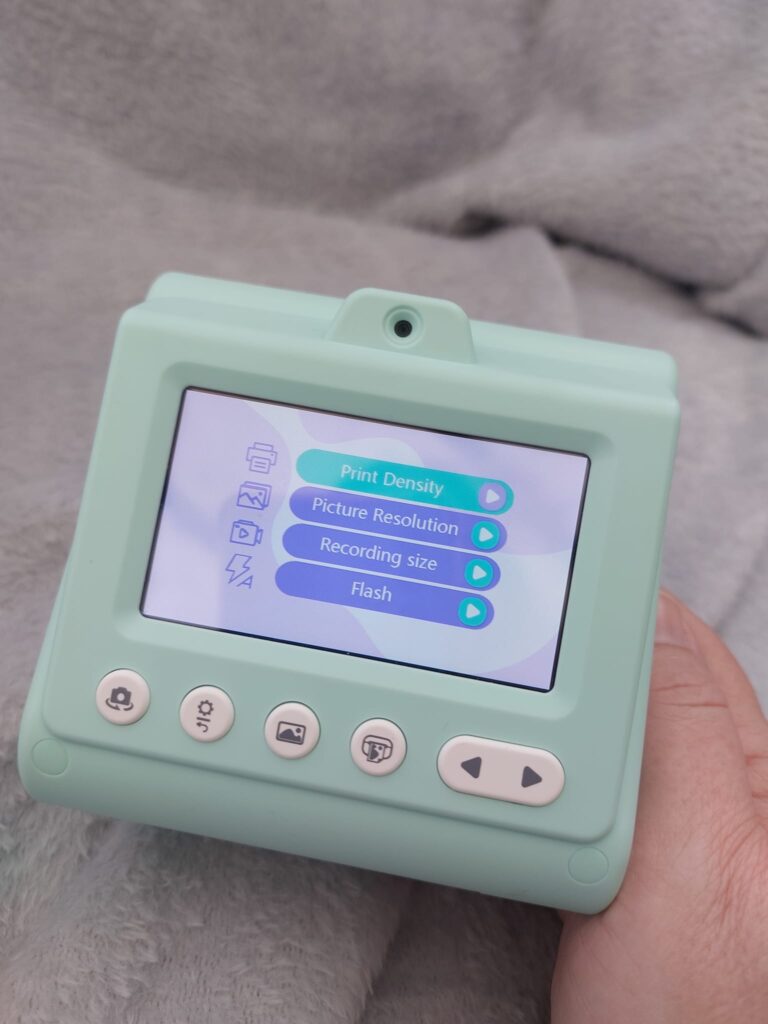
The fact there is no need to use batteries is great for the environment, and it is easy to charge the camera with the USB lead. The price point is good because you don’t need to buy anything else for the set except a micro SD, but you can get them for a few quid on Amazon. You can then remove the micro SD and pop it into your laptop to see the pictures in colour. You can buy the Retro Camara from Very for £55.99.
If your child has a mobile phone or uses your mobile phone, they might like to try the Photo Creator Instant Pocket Printer. We reviewed one a few weeks ago.